TikTok transcript generator

Transcribe TikTok to Text

Turn TikTok videos into text quickly, so content creation, review, and analysis take less manual work. It is a practical choice for marketers, researchers, and creators who need to repurpose videos or pull insights with accuracy and speed.

Explore features

How it works

How to create a TikTok transcript

Move from short-form video audio to readable TikTok transcript files in a focused transcription workflow.

Step 01

Import your TikTok video

Start a new transcript project, then paste a TikTok link or upload the TikTok video file you want to convert. The tool keeps the source media and transcript workflow together.

  • Paste a TikTok video URL.
  • Upload MP4, MOV, or WebM when a link is not available.
  • Start from one focused transcript project.
Concept illustration of uploading a TikTok video file
Step 02

Select a language and edit the text

Pick the language for your TikTok transcript, then let the transcription run. Review the text, fix names or phrases, and shape the transcript for captions, notes, or analysis.

  • Choose auto-detect or a specific language.
  • Edit the transcript after generation.
  • Clean up lines for captions or reuse.
Concept illustration of generating a transcript
Step 03

Publish, share, or export

When the transcript is ready, export the text for your workflow. Use the finished TikTok transcript in documents, captions, social posts, research notes, or team handoff.

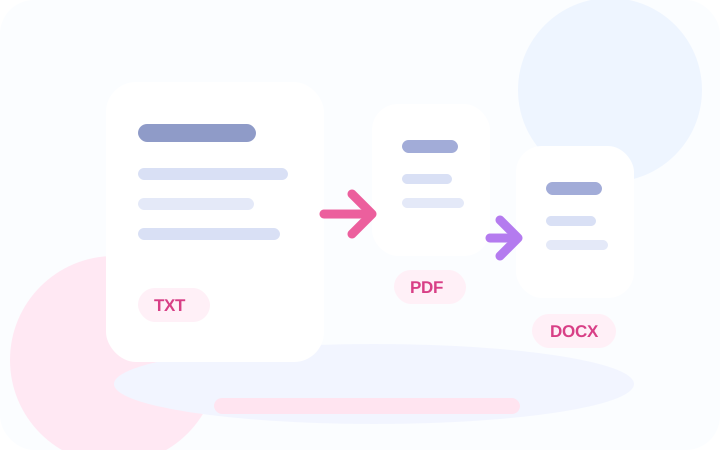
  • Export TXT, PDF, and DOCX files.
  • Share transcript links with teammates.
  • Repurpose the text for content work.
Concept illustration of exporting transcript documents

Features

Built for TikTok transcript and short-form workflows

Turn TikTok video audio into a TikTok transcript, keep transcript exports ready, and reuse spoken content across captions, notes, and documents.

TikTok link or video upload

Paste a TikTok link or bring in a short-form video file and convert the spoken track into a reusable TikTok transcript.

AI transcript flow

Generate a readable TikTok transcript from speech and keep the transcription result close to the original media.

TXT, PDF, and DOCX export

Create plain text, printable PDF, and editable Word exports from the same transcription job.

Caption starting point

Use the TikTok transcript as a base for captions, subtitles, clip summaries, and social video copy.

Text-first handoff

Move from video audio to transcript documents that editors, marketers, and support teams can review.

Short-form friendly

Handle quick clips, creator drafts, campaign snippets, and repeat transcription tasks.

Transcript resources

Resources for TikTok transcript projects

Target high-intent TikTok transcript searches with practical workflows for converting TikTok videos to text, exporting transcript files, and preparing captions, summaries, and content analysis from short-form video.

Creator clips

Turn TikTok video audio into a TikTok transcript for captions, repurposed posts, scripts, and notes.

Transcript review

Give editors a clean TikTok transcript they can review without replaying every short-form clip.

Caption workflows

Use the exported text as a starting point for subtitles, summaries, and social content.

Document handoff

Share TXT, PDF, and DOCX transcript files with clients, teammates, or content teams.

Loved by teams

What teams like about TikTok transcript exports

Teams use TikTok transcript exports to review clips, create captions, summarize spoken content, and keep transcript work moving.

We use the TikTok transcript workflow when a creator sends short clips and the team needs written notes before editing. Transcript exports keep review moving without asking everyone to watch each video first.

Maya ChenContent Operations

The useful part is the handoff. One link or video upload gives us a readable TikTok transcript and document links, so writers can turn a short-form video into captions, summaries, and campaign copy much faster.

Jordan LeeVideo Producer

For social clips, the text version is often what the rest of the team needs. This workflow makes it easier to quote, summarize, and reuse the spoken parts of a video.

Elena ParkEditorial Manager

We needed something simple for campaign snippets. Uploading the file and getting TXT, PDF, and DOCX exports gives our reviewers a predictable transcript package every time.

Noah RiveraCampaign Producer

The TikTok transcript workflow helps our accessibility review because the first transcript draft is ready quickly. From there we can clean lines, prepare captions, and document what the clip actually says.

Priya ShahAccessibility QA

It fits the way our marketing team works. We can turn social video audio into text, share the export links, and keep rewriting or briefing work out of the video editor.

Theo MartinProduct Marketer

We use the TikTok transcript workflow when a creator sends short clips and the team needs written notes before editing. Transcript exports keep review moving without asking everyone to watch each video first.

Maya ChenContent Operations

The useful part is the handoff. One link or video upload gives us a readable TikTok transcript and document links, so writers can turn a short-form video into captions, summaries, and campaign copy much faster.

Jordan LeeVideo Producer

For social clips, the text version is often what the rest of the team needs. This workflow makes it easier to quote, summarize, and reuse the spoken parts of a video.

Elena ParkEditorial Manager

We needed something simple for campaign snippets. Uploading the file and getting TXT, PDF, and DOCX exports gives our reviewers a predictable transcript package every time.

Noah RiveraCampaign Producer

The TikTok transcript workflow helps our accessibility review because the first transcript draft is ready quickly. From there we can clean lines, prepare captions, and document what the clip actually says.

Priya ShahAccessibility QA

It fits the way our marketing team works. We can turn social video audio into text, share the export links, and keep rewriting or briefing work out of the video editor.

Theo MartinProduct Marketer

FAQ

Frequently Asked Questions

How can I create a TikTok transcript from a video file?

Paste a TikTok link or upload your TikTok video file, choose a language, and run the transcription job. When it finishes, you can export the transcript for review or reuse.

Can I convert TikTok videos to text without using a downloader?

Yes. You can paste a supported TikTok link, or upload the downloaded TikTok video when link import is blocked.

What TikTok transcript export formats are available?

You can export TXT, PDF, and DOCX files. These formats make it easier to share transcripts with writers, editors, researchers, or clients.

Can a TikTok transcript help with captions and subtitles?

Yes. A transcript gives you a strong starting point for captions, subtitles, social posts, clip summaries, and accessibility review.

Is this useful for short-form video transcription?

Yes. The workflow is designed for short clips, creator drafts, campaign snippets, and other social video files that need quick text output.

Can I use the transcript for content analysis or research notes?

Yes. Marketers, researchers, and content teams can use the exported text to pull quotes, summarize claims, compare clips, or gather insights.

How accurate is speech to text for TikTok videos?

Accuracy depends on audio quality, background noise, accents, and language. Clear speech and clean audio usually produce the best transcript.

Start transcribing

Create a TikTok transcript today

Paste a TikTok link or upload a video, generate a transcript, and export TXT, PDF, and DOCX files from one focused workflow.