Conversion tool

Convert M4A to MP4 with an online audio-to-video converter

Turn audio into video with an easy M4A to MP4 converter. Convert M4A files to MP4, add simple visuals that help hold attention, and create video assets for presentations, tutorials, social posts, and more.

Explore features

How it works

Convert M4A files to MP4 in three steps

Start with an M4A file, turn audio into video with a simple MP4 wrapper, then use the converted MP4 anywhere you need a video asset.

Step 01

Upload your M4A file

Upload your M4A file to start a clean audio-to-video workflow. The converter prepares the audio source for a simple visual wrapper.

  • Choose an M4A file from your device.
  • Keep the original audio track ready.
  • Start converting audio into video from one focused tool.
Concept illustration of uploading an M4A audio file
Step 02

Convert M4A to MP4

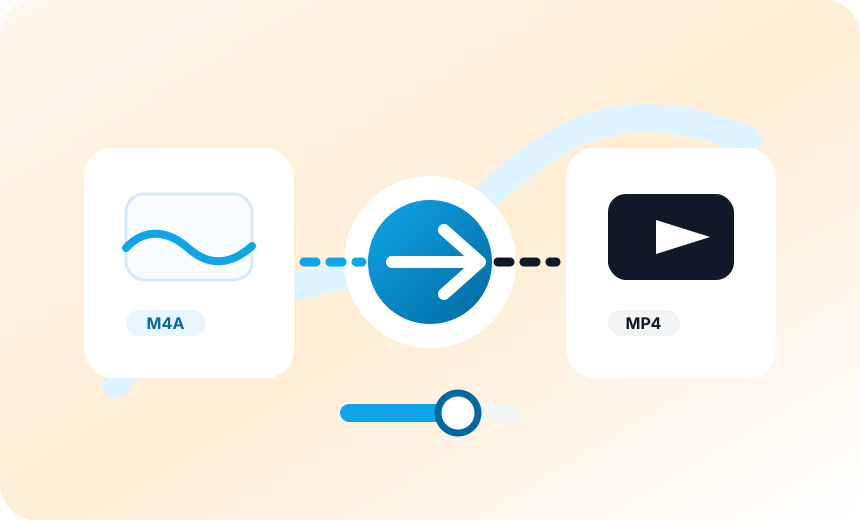
Turn the audio into a video-ready MP4 file for presentations, tutorials, social posts, and publishing workflows.

  • Add a simple visual layer for playback.
  • Preserve audio quality while creating MP4.
  • Create a video file that is easier to publish.
Concept illustration of converting M4A audio into MP4 video
Step 03

Download and publish

Download the converted MP4, add it to a presentation, reuse it in a tutorial, or share the video file with reviewers.

  • Download the MP4 for publishing.
  • Use the video in presentations and tutorials.
  • Share the finished file with reviewers.
Concept illustration of publishing a converted MP4 video

Features

Built for audio quality and video handoff

Convert audio into video, add a simple visual layer, and prepare MP4 outputs for publishing workflows without overcomplicating the handoff.

Simple visual layer

Add a clean visual wrapper so an audio-only file becomes a more engaging MP4 video.

Non-destructive conversion

Keep source M4A files intact while creating a separate video-ready MP4 output.

Audio into video wrapper

Turn audio into video by wrapping an audio-only M4A in an MP4 container.

Good render defaults

Use practical defaults like 720p and 30fps so each conversion stays predictable.

Simple upload flow

Choose an M4A file, convert it, and prepare the generated MP4 for publishing.

Clear conversion errors

Surface conversion issues clearly so you know when the file needs another pass.

Creator resources

Resources for audio-to-video converter workflows

Keep your conversion workflow explicit with long-tail phrases around M4A files to MP4, audio into video, and audio quality.

Video platform uploads

Use audio-to-video conversion when a platform expects a video file instead of audio.

Podcast promotion

Convert M4A files to MP4 for audio clips, previews, and internal review links.

Workflow automation

Connect conversion with captions, thumbnails, visuals, and publishing workflows.

Team handoff

Share output links without passing large local files between editors and reviewers.

Loved by teams

What teams like about this audio-to-video converter

Creators use this converter to make M4A files easier to publish, review, and share as MP4 video assets.

"The M4A to MP4 converter gives our team a fast way to turn short audio updates into video-ready files. We use it for presentation inserts, product walkthroughs, and quick social clips when a plain audio attachment would not keep viewers engaged."

Maya ChenContent producer

"The finished MP4 files make review much cleaner for our media operations team. Instead of asking editors to rebuild simple wrappers around audio, we can use the M4A to MP4 workflow, check playback, and move the asset into our approval queue with less back-and-forth."

Jordan LeeMedia operations

"It is simple enough for creators, but structured enough for campaign work. When every M4A asset needs a video version for launch pages, tutorials, and repurposed clips, having one focused M4A to MP4 conversion flow saves our team a lot of repetitive setup."

Elena ParkGrowth editor

"We needed a reliable way to turn audio into video for social publishing without pulling designers into every small request. The page keeps upload, conversion, and handoff in one place, which helps our social team publish cleaner MP4 assets faster."

Noah RiveraSocial lead

"The conversion flow removes the small but repetitive work of building a video container around finished podcast segments. We can convert M4A to MP4 for previews, sponsor reads, and recap clips while keeping the original audio quality easy to review."

Priya ShahPodcast manager

"For lightweight publishing tasks, turning an audio file into a clean MP4 video is exactly what our editors need. It is especially useful when a tutorial, training deck, or internal update needs a video asset but does not require a full editing session."

Theo MartinEditorial systems
"The M4A to MP4 converter gives our team a fast way to turn short audio updates into video-ready files. We use it for presentation inserts, product walkthroughs, and quick social clips when a plain audio attachment would not keep viewers engaged."

Maya ChenContent producer

"The finished MP4 files make review much cleaner for our media operations team. Instead of asking editors to rebuild simple wrappers around audio, we can use the M4A to MP4 workflow, check playback, and move the asset into our approval queue with less back-and-forth."

Jordan LeeMedia operations

"It is simple enough for creators, but structured enough for campaign work. When every M4A asset needs a video version for launch pages, tutorials, and repurposed clips, having one focused M4A to MP4 conversion flow saves our team a lot of repetitive setup."

Elena ParkGrowth editor

"We needed a reliable way to turn audio into video for social publishing without pulling designers into every small request. The page keeps upload, conversion, and handoff in one place, which helps our social team publish cleaner MP4 assets faster."

Noah RiveraSocial lead

"The conversion flow removes the small but repetitive work of building a video container around finished podcast segments. We can convert M4A to MP4 for previews, sponsor reads, and recap clips while keeping the original audio quality easy to review."

Priya ShahPodcast manager

"For lightweight publishing tasks, turning an audio file into a clean MP4 video is exactly what our editors need. It is especially useful when a tutorial, training deck, or internal update needs a video asset but does not require a full editing session."

Theo MartinEditorial systems
FAQ

Frequently Asked Questions

Can I use this M4A to MP4 converter for free?

Yes. You can start with the free converter flow to turn an M4A file into an MP4 video. If you later need higher limits, team workflows, or more automation, those can be added around the same conversion process.

How do I convert M4A files to MP4 online?

Choose an M4A file, submit it, and the online converter creates an MP4 video file. The workflow is built for simple audio-to-video tasks like presentations, tutorials, social clips, and review assets.

Does converting M4A to MP4 keep audio quality stable?

The tool is designed to preserve the source audio track while creating the MP4 wrapper. The result is meant to keep playback clear while making the audio easier to share as video.

Why turn audio into video instead of sharing the M4A file?

Many publishing and presentation workflows expect video. Converting audio into video gives you an MP4 file that can include a simple visual layer and work better for viewers on video-first platforms.

What can I use the MP4 video for after conversion?

Use the converted MP4 in presentations, tutorials, product explainers, social posts, podcast previews, training clips, or any workflow where a video file is easier to publish than audio alone.

Can I convert M4A to MP4 without adding complex visuals?

Yes. The converter focuses on a simple MP4 wrapper, so you can create a video-ready file without building a full edit or designing a custom motion graphic.

Start converting

Convert M4A to MP4 for publishing today

Upload an M4A file, generate an MP4 wrapper, preserve audio quality, and create a video-ready file from one focused conversion workflow.

View steps